Kyo Custom Import Tool Add-on
Kyo Logic, LLC
Summary
Product Type: Add-ons
Price: Free
Last updated: 7/7/2026
Language: English
Product websiteCategory
Flexible, user-friendly imports without backend complexity.
Make FileMaker imports simple with reusable templates, previews, and friendly field mapping.
Importing data into FileMaker shouldn't require exposing your database structure or forcing users to understand internal field names. Unfortunately, FileMaker's built-in import options leave developers choosing between rigid pre-mapped imports or a complex interface designed for developers rather than end users. The Custom Import Tool Add-on bridges that gap.
Designed for FileMaker developers who want to provide a better import experience, this add-on gives users a clean, intuitive interface for importing data while still providing the flexibility needed for real-world scenarios.
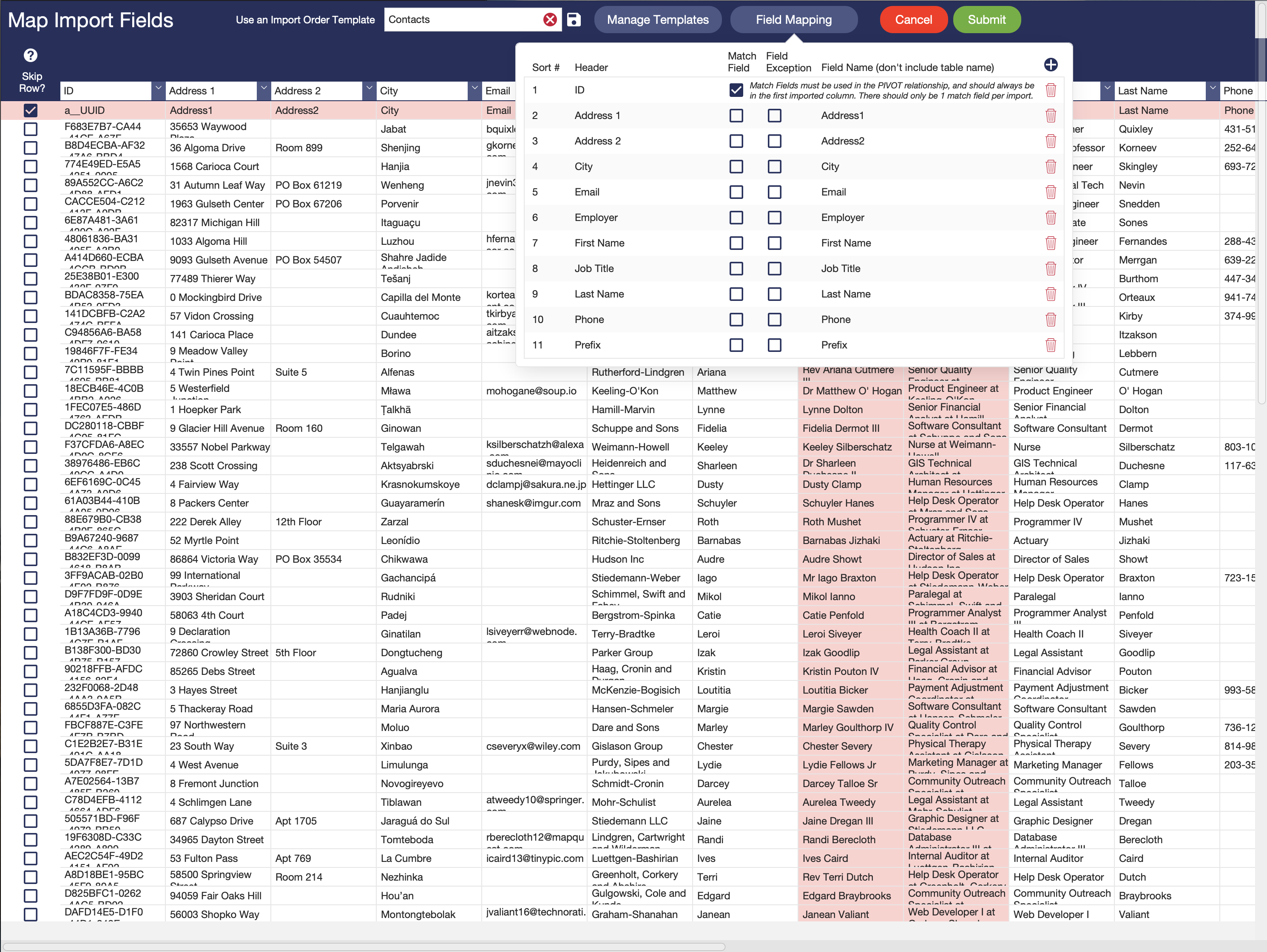
Instead of mapping to internal field names, users work with friendly header labels that you define. Import templates can be created, modified, and saved directly from the interface, making recurring imports fast while still allowing one-time adjustments when needed.
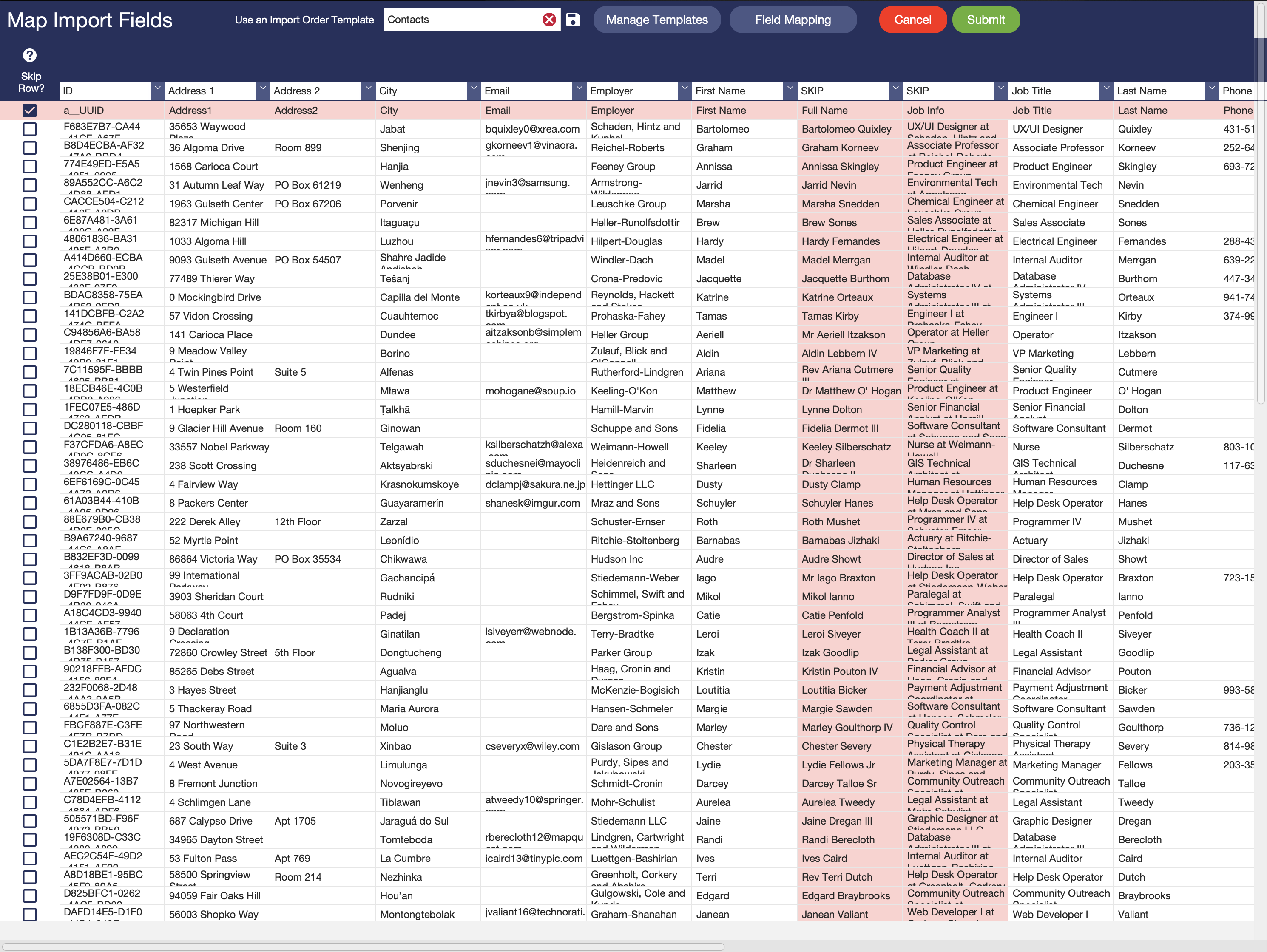
To improve accuracy and confidence, imported data is first loaded into a staging table where users can preview and edit the data before committing the import. This provides an opportunity to catch mistakes, make corrections, or remove unwanted data before it reaches your production tables.
Key features include:
• Clean, easy-to-understand import interface
• Map columns using user-friendly header names instead of backend field names
• Import into a staging table for preview and validation
• Edit imported data before completing the import
• Create, save, and modify reusable import templates
• Make one-time template adjustments without affecting saved templates
• Add additional field mappings during an import when needed
• Parse data from a single imported column into multiple destination fields using your own FileMaker scripting
• Skip individual rows or columns during import
• Visual highlighting of skipped rows and columns
• Define match fields to create new records or update existing records in a single import
• Custom-sort available mapping options to organize fields logically instead of alphabetically
The add-on includes support for 20 import columns out of the box. Additional columns can be added with minimal effort, allowing the solution to scale to larger import requirements.
Whether you're building vertical market solutions, internal business applications, or custom FileMaker systems, the Custom Import Tool Add-on provides a significantly more user-friendly import experience while reducing support requests and giving users greater flexibility.
Technical Notes
• Designed for Claris FileMaker Pro
• Requires a one-time field mapping configuration by a Full Access user
• Uses a staging table to enable preview, editing, and validation before final import
• Easily customizable and extensible to fit the needs of your solution
Additional resources

Claris product features
See why Claris products are the top choice for developers for their low code needs.

Product resources
Get instant access to helpful resources and start creating custom apps today.